

OLLIN FIELD GUIDES
Choosing a Phone Adapter for Your Vortex Spotting Scope

Your Vortex scope already gives you a closer look. A compatible phone adapter lets you bring that view home.
The first step is identifying the exact scope you own. “Vortex,” “Razor” or “Viper” alone is not enough to choose a fit. Model size, HD designation and generation can change the option you need.
This guide explains how to find the right OLLIN Snapshot Spotter Adapter for your Vortex spotting scope, then pair it with the original Snapcase or Snapcase Elite.
Start with your exact Vortex model
Write down the full model designation from your scope, packaging or purchase record. Include the magnification range, objective size, HD label and generation or year information where applicable.
For example, OLLIN lists Razor HD 20-60x85 (GEN 1) separately from Razor HD 27-60x85 (GEN 2). It also separates Viper HD 15-45X65 models into 2016-and-older and 2017-and-newer options. Do not select a similarly named option as a substitute.
A familiar name is only the start. Match the complete model description before ordering. If the year or generation is unclear, send our team a photo rather than guessing.
Which Vortex spotting scopes have OLLIN adapter options?
The following Vortex options are listed in our Snapshot Spotter Adapter catalog as of November 19, 2026. Each link opens the corresponding product selection. Confirm the selected manufacturer and model on the product page before adding it to your cart; listings and availability can change.
| Vortex model listed by OLLIN | Adapter selection |
|---|---|
| Diamondback HD 20-60X85 | View matching option |
| Razor HD 20-60x85 (GEN 1) | View matching option |
| Razor HD 11-33x50 | View matching option |
| Razor HD 27-60x85 (GEN 2) | View matching option |
| Razor HD 13-39x56 | View matching option |
| Viper HD 20-60X85 | View matching option |
| Viper HD 15-45X65 (2017 & NEWER) | View matching option |
| Viper HD 20-60X80 | View matching option |
| Viper HD 15-45X65 (2016 & OLDER) | View matching option |
| Viper 20-60X80 (NOT HD) | View matching option |
| Viper 15-45X65 (NOT HD) | View matching option |
| Diamondback HD 16-48X65 | View matching option |
| Diamondback 20-60X80 (NOT HD) | View matching option |
| Viper 11-33x50 | View matching option |
| Razor HD 16-48x65 (GEN 1) | View matching option |
| Razor HD 22-48x65 (GEN 2) | View matching option |
| Crossfire HD 12-36x50 | View matching option |
| Crossfire HD 16-48x65 | View matching option |
| Crossfire HD 20-60x80 | View matching option |
| Skyline 20-60x80 | View matching option |
| Diamondback 20-60x60 (NOT HD) | View matching option |
This list describes OLLIN's adapter options, not a guarantee that one adapter fits every scope in a product family. Use the current Spotter Adapter selector and fitment information to check your equipment.
What do you need to connect your phone?
Build the setup in two parts: the optic-side adapter and the phone-side interface. The Snapshot Spotter Adapter connects to your supported Vortex optic. Your compatible OLLIN case provides the phone side of the magnetic connection.
The Spotter Adapter includes a protective cap and adjustable tether. Check the product listing for the components included with your selection. The phone case is purchased separately.
Already own part of the system? Check the remaining component against your current equipment. Changing a phone does not tell you which optic adapter to choose, and changing a scope does not tell you which phone case fits.
Choose your case: original Snapcase or Snapcase Elite
Original Snapcase
The original Snapcase has a permanently installed magnetic tab positioned around the phone's default camera. Choose the case for your exact phone model and seat the phone fully before connecting it to the optic adapter.
This is the fixed-interface option: the tab stays on the case, ready to connect when you bring it to your Snapshot adapter.

Snapcase Elite Kit
The Snapcase Elite Kit includes the case and a removable Elite Tab. Position the tab over the supported wide-angle or telephoto lens and twist-lock it onto the case. Then select the matching camera in your phone app.
The tab can come off for everyday use; OLLIN specifies MagSafe compatibility with the tab removed. Elite uses the same Snapshot magnetic interface, so select your optic adapter by the Vortex model rather than by which case you choose.

Follow the instructions for your specific adapter
Watch the relevant OLLIN setup video before installation. Standard compression-fit Snapshot adapters install straight onto the eyepiece without twisting. Some adapters use a different attachment method, so follow the instructions for the adapter you actually receive.
If the adapter does not seat as expected, check the model selection and installation guidance before applying more force. Our FAQs explain what information to provide when you need help with fit.
Take your first photo through your Vortex scope
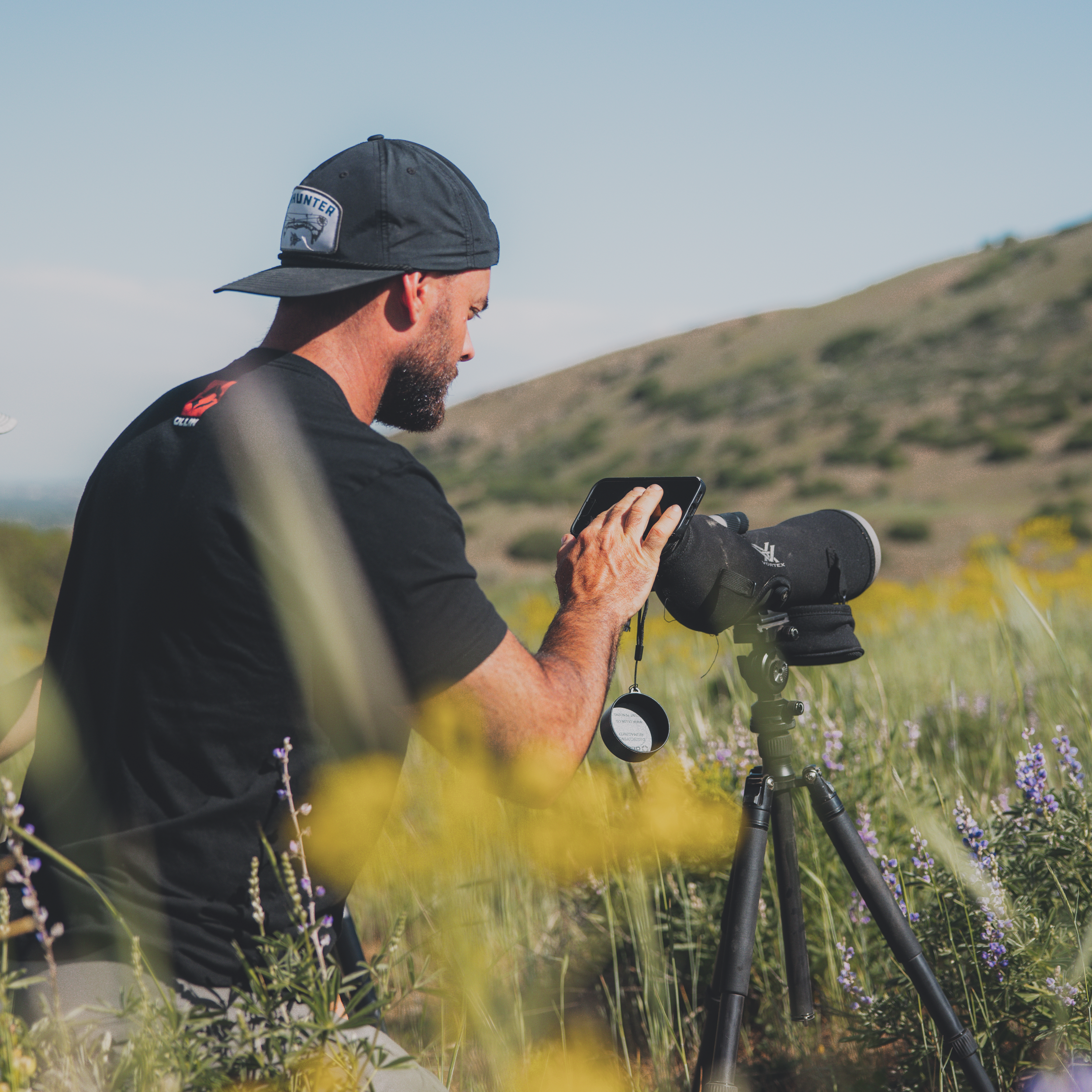
Set the scope on a stable tripod, locate a stationary subject and focus through the eyepiece. Prepare your case, connect the phone and inspect the screen before capturing.
Check the active camera, fine-tune focus and let vibrations settle. Try a wider composition first rather than immediately pushing scope and phone magnification to their limits.
Follow our step-by-step phone digiscoping guide for the full sequence with both case types, plus help with framing and common first-photo problems.
What if your Vortex scope is not listed?
Contact OLLIN support with the full model name and clear photos of the scope and eyepiece. Use the measurement instructions on our fitment page if requested. Measurements help our team assess a possible fit; a similar diameter alone does not establish compatibility.
Include any uncertainty about the year, generation or eyepiece. A short conversation before ordering is easier than sorting out an incorrect setup before a trip.
A final checklist before ordering
- My Vortex model matches the complete adapter selection, including any generation, year or HD designation.
- My chosen case is offered for my exact phone.
- I understand which parts I already own and which are sold separately.
- I have checked the installation instructions for my adapter.
- I have asked OLLIN about any fit uncertainty.
Still comparing connection styles? Our magnetic vs. clamp-style adapter guide explains the difference between the optic attachment and phone connection.
Frequently asked questions
Does one OLLIN adapter fit every Vortex spotting scope?
No universal Vortex fit should be assumed. OLLIN lists specific model options, with separate selections for certain generations and versions. Match your scope to the current product selector.
Does Razor generation matter?
Yes when selecting from OLLIN's listed options. The catalog distinguishes GEN 1 and GEN 2 for several Razor HD models. Check the full designation instead of selecting by the Razor name alone.
Why does the Viper HD 15-45X65 selector ask about the year?
OLLIN provides separate options for 2016-and-older and 2017-and-newer models. If you cannot confirm which version you own, ask our team before choosing.
Can I use Snapcase Elite with my supported Vortex setup?
Elite connects through the Snapshot interface. You need the correct Spotter Adapter for your Vortex scope and a compatible Elite case and tab for your phone.
Can I carry the scope with the phone attached?
Remove the phone before moving the tripod, adjusting its legs or making large setup changes. Snapshot's phone connection is magnetic, including with Elite.
Find the fit. Get back behind your glass.
Start with the Vortex model you already own, choose the matching Snapshot Spotter Adapter, and pair it with the right phone case. Practice the connection at home so you can spend more time watching when you get into the field.
For a broader equipment checklist, revisit how to choose a spotting scope phone adapter. If you need help confirming your combination, talk with OLLIN.
YOUR NEXT SHOT STARTS HERE
Build the setup for your glass.
Choose your phone and optic model to find the Snapshot components for your setup.


