


You found it. A ram stepping onto a skyline. An elk holding at the timber’s edge. Something you want to bring home and share.
Your phone adapter should make that moment easier to capture. Choosing one starts with the equipment you already carry and the way you use it in the field.
Here’s what to check before you buy a spotting scope phone adapter, and how to put together a compatible OLLIN Snapshot setup.
Start with your exact spotting scope and phone
Write down your scope’s manufacturer, model and generation, plus your phone’s exact model. Keep that information next to you while you compare options. A familiar brand name on a compatibility list is only the start.
For OLLIN, use the Snapshot fitment chart and the model selectors on the product pages to confirm your combination. If you cannot find a match, contact the OLLIN team before placing an order.
Check the phone side separately. The case that fits one phone model is not a promise of fit for another.
Understand how the phone connects to the optic
When comparing adapters, ask two separate questions: how does the adapter attach to the scope, and how does the phone attach to the adapter? Those are different connections.
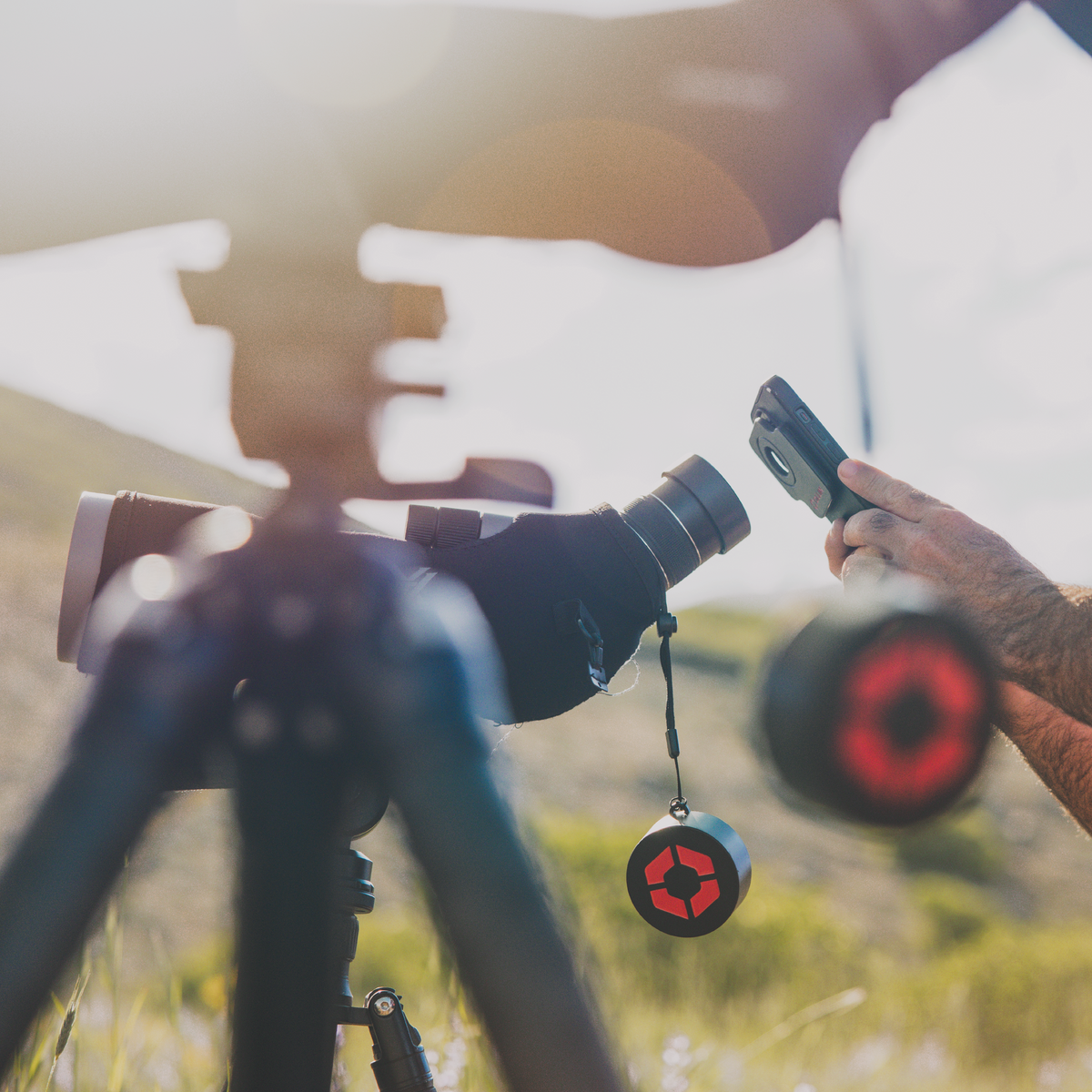
Some designs ask you to position the phone’s camera over the eyepiece. Snapshot uses a magnetic interface to connect and self-center a compatible Snapcase on the optic adapter. That connection is the core of the system.
The Snapshot system page shows the relationship between the optic adapter, Snapcase and protective cap. Use it to understand the components before deciding what belongs in your kit.

Think through the whole field routine
A product photo cannot tell you everything about how a setup will fit your day. Picture the sequence: glass, find your subject, connect the phone, capture, disconnect, and move.
Use that routine to decide what matters to you. Do you switch between viewing and recording often? Will more than one person use the optic? Are you changing phones soon? Do you need to pack everything away between locations?
For any adapter you are considering, look for an installation demonstration that shows those transitions. With OLLIN, start with the OLLIN 101 instructional videos. Match the instructions to the adapter you actually intend to buy.
Keep the moment in mind. Choose a setup you understand and are comfortable using before your next trip. Your first time connecting it should not be the moment you most want to capture.
A practical phone adapter buying checklist
| What to check | Question to answer before buying |
|---|---|
| Optic compatibility | Does the listed fit cover my exact scope model and generation? |
| Phone compatibility | Is the required case or phone attachment offered for my phone? |
| Connection method | How is the camera positioned, and what do I repeat each time I connect? |
| Installation | Have I checked the instructions for this specific adapter? |
| Complete setup | Which parts are included, and which do I need to order separately? |
| Handling and support | How should I move the setup, and who can help with fit questions? |
Use the same checklist across products. Compare the complete compatible setup and its instructions, rather than making the decision from an adapter name or a single headline claim.
What do you need for an OLLIN Snapshot setup?
For a supported phone and spotting scope, begin with the Snapshot Spotter Adapter for your optic and the Snapshot Snapcase for your phone. The spotter adapter includes a magnetic protective cap.
The Snapshot system builder is the place to select your equipment. Check the selected models and included items before adding your setup to the cart.
If your phone is not listed, ask about the Snapshot Magnetic Tab option and its installation requirements. Third-party case compatibility needs checking; it is not universal.

Check installation and handling before your first outing
Snapshot installation varies by adapter. Follow the correct instructions, including the no-twisting guidance for standard compression-fit adapters. The phone’s magnetic connection is not a mechanical lock: disconnect the phone before moving between locations or making major setup adjustments.
Keep the product FAQs and installation videos handy while you set up. When something does not seem right, confirm the fit and instructions before forcing a connection.

Frequently asked questions
What is a spotting scope phone adapter?
It connects a phone to a spotting scope so the phone camera can capture the view through the optic. This is commonly called digiscoping.
Will one phone adapter fit every spotting scope?
Do not assume universal fit. Check the specific adapter’s compatibility information for your optic, eyepiece and phone setup before buying.
Do I need a phone case as well as an optic adapter?
Check the system’s component list. For a standard supported Snapshot setup, choose the matching Snapcase and Spotter Adapter. If you already own one component, confirm the remaining part against your current equipment.
Will an adapter fix blurry digiscoping photos?
An adapter is only one part of the setup. Check focus, lens cleanliness and stability too. OLLIN’s image-quality troubleshooting guidance is a useful starting point.
Can I use my binoculars instead?
OLLIN offers a separate Snapshot Bino Adapter for supported models. Check its fit and instructions separately from the spotting scope setup.
Choose the setup that fits your glass
Start with compatibility. Understand the connection. Know what you need to order and how to use it.
Then get comfortable with your setup before you head out. The point is to spend more of the moment watching what brought you there—and have a way to share it when you get home.
Share: