



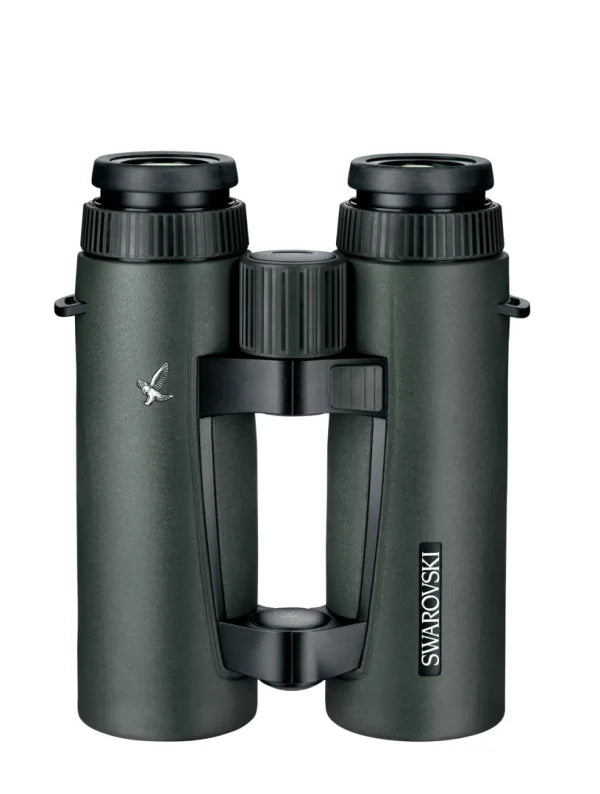


SNAPSHOT BINO ADAPTER
Don't see your phone model? Try our Snapshot Magnetic Tab
Pair with these products
Pairs well with
Ships within 1-2 business days.
Lifetime Unconditional Warranty
By Hunters. For Hunters.
Explore our SNAPSHOT magnetic digiscoping adapters, the OLLIN NEXUS magnetic tripod mount system, and OLLIN apparel and gear.
SNAPSHOT BINO ADAPTER
If you have any questions, you are always welcome to contact us. We'll get back to you as soon as possible, within 24 hours on weekdays.
-
Shipping Information
Use this text to answer questions in as much detail as possible for your customers.
-
Customer Support
Have a question or need more dedicated support? Shoot us an email at support@ollin.co to get ahold of a real person.
-
FAQ’s
All of your questions answered. Find them all HERE
-
Contact Us
Our team is available Monday through Friday during normal business hours (9AM - 5PM). Contact us at (833) 863-9901

Center Alignment Every Time
Capture Content When Seconds Matter
Rugged construction for on and off the mountian
Unconditional Lifetime Guarantee
Always Ready
Always Connected
Product details
Description
The SNAPSHOT BINO ADAPTER upgrades your binoculars and makes it easy to capture content and memories on all of your adventures! Paired with a SNAPSHOT SNAPCASE (sold separately), you can quickly connect your phone to your binoculars to take photos and videos through your optics. The embedded magnetic array provides a seamless and effortless method to mount your phone securely to your binoculars and ensures you are immediately ready to capture those memories with the patented self-centering design. You won't be distracted over alignment or fitment ever again. The SNAPSHOT BINO ADAPTER will always be ready when you need it!
The compression fit design makes it easy to install when you want to utilize it and remove it when done. The SNAPSHOT BINO ADAPTER stores easily in a small pouch or pocket when not in use.
WHAT'S INCLUDED:
- SNAPSHOT BINO ADAPTER
Key Features
Warranty
This product is backed by our Unconditional Lifetime Warranty. Details can be found Here
FAQs
Please read our FAQs page to find out more.
How does the OLLIN Snapshot system work?
The OLLIN Snapshot system utilizes magnetic coupling to quickly attach your phone to your optic with perfect center alignment, every time, without the need for manual adjustments. The matching magnetic arrays built into the two main components, the Snapshot adapter and the Snapcase, ensure your phone is secured to and centered on your optic in either horizontal or portrait orientations.
The Snapshot adapter fits snuggly on your optic eyepiece with a compression fit and is specifically designed to fit your optic. For spotting scopes, the Snapshot adapter is meant to stay on the eyepiece at all times and a magnetic protective cap is provided to replace the manufacturer provided eyepiece cap. For binoculars, the Snapshot adapter is meant to be installed when in use and removed afterwards. A protective cap is not provided for binocular adapters.
The Snapcase fits on your phone just like any other phone case and includes the magnetic tab preinstalled and concentrically aligned with the phone’s default camera lens.
I don’t see my phone model in the list of Snapcases, what do I do?
Snapcases are designed for specific phone models and are not cross-compatible. The specific fitment provides a premium experience in terms of ease of use, performance, and protection. If your phone model is not listed, contact OLLIN Customer Support with your phone information, including manufacturer and model, to help determine future development of Snapcases.
Alternatively, if you want to use a phone that is not supported, the Snapcase Magnetic Tab can be adhered to your own phone case to bring the Snapshot functionality to your existing phone. OLLIN does not guarantee that all third-party cases will work with the Snapcase Magnetic Tab. Please review the installation instructions for guidance on selecting a phone case.
Can I use multiple camera lenses on my phone with the Snapshot system?
The Snapshot system utilizes the default camera on your phone. The Snapcase has an integrated tab that is concentrically aligned on that default camera. Other lens of the phone are covered by the tab and can not be utilized. If you have a specific use case where a different lens is required, OLLIN offers the Snapshot Magnetic Tab which can be adhered to your own phone case to bring the Snapshot functionality to your desired camera lens. Once the Magnetic Tab is installed on another lens, that lens becomes the only lens that is usable during use. Ollin does not guarantee that all third-party cases will work with the Magnetic Tab. Please review the Magnetic Tab installation instructions for guidance on selecting a phone case and the process for installation.
Can I leave my phone connected to the Snapshot adapter while I move my setup?
The Snapshot system uses a magnetic coupling mechanism for a quick and easy digiscoping experience. The system does not mechanically lock your phone to your optic. Small movements of the optic using traditional pan/tilt or ball pivot heads should not cause the magnetic coupling to disengage.
For large adjustments, moving your optic setup between locations, adjusting tripod legs, etc., you should always remove your phone from the Snapshot adapter to avoid the system disconnecting and dropping your phone.